The release-signed APK (4.5 MB) is ready to sideload; the AAB is what you upload to Play Console.
Both are signed with your VoiceVault keystore — keep that keystore safe, it can never be changed once published.
Looking for Automated WhatsApp VoIP Call Recording?Check out the newly built VoIP Call Recorder & Companion Engine (Dual-App architecture with WhatsApp call window hook, speaker bleed routing, and local library).
1 Best WhatsApp call recorder — honest market analysis
The “WhatsApp call recorder” category is dominated by a handful of generic call-recorder apps
(Cube ACR and similar) that advertise VoIP/WhatsApp support. After reviewing how they actually
behave, the honest conclusion is: none of them reliably records both sides of a WhatsApp call on
a modern, non-rooted phone, and the whole approach is now blocked on the Play Store.
What they claim
What actually happens
Records WhatsApp calls (both parties)
On Android 10+ they can only capture your side via the mic (plus faint speakerphone bleed). The remote party is not captured without root.
Works via “Accessibility”
Google banned the Accessibility API for call recording (policy update, May 2022). These builds are being removed / can’t be updated on Play.
Free
Almost all are ad-heavy with a paid “Pro” to unlock formats, cloud, or to remove ads.
Takeaway: the “best” one isn’t worth cloning — the capability it sells is largely an illusion
on current Android and is against Play policy. The sound, legal product in this space is a clean
microphone recorder for meetings and speakerphone calls you are part of. That is what VoiceVault is.
2 Reverse-engineering report (how these apps work — and why true capture fails)
No third-party APK was decompiled or reused — doing so and republishing it would be copyright
infringement and an instant Play ban. Instead, this is a behavioural / platform-level teardown
of the techniques the category relies on, from public Android documentation.
The three techniques, and where each one dies
Technique
How it works
Why it fails for WhatsApp
Mic capture (AudioSource.MIC / VOICE_RECOGNITION)
Just records the device microphone during a call.
Captures only your voice (+ speakerphone bleed). The remote party is never in the mic stream.
Accessibility trigger
Detects the WhatsApp call screen and auto-starts mic capture.
Still only mic audio — and Play forbids Accessibility for recording since 2022.
Playback capture (AudioPlaybackCapture, API 29+)
Captures audio other apps play.
The API cannot capture USAGE_VOICE_COMMUNICATION — exactly what WhatsApp uses — so the far end is excluded by design.
Why the remote side is uncapturable without root
WhatsApp audio is end-to-end encrypted and decoded inside WhatsApp’s own process; no other app sees the PCM frames.
The call audio is routed as USAGE_VOICE_COMMUNICATION, which Android explicitly excludes from AudioPlaybackCapture.
There is no public API to tap the VoIP downlink. Only a rooted device (or an OEM’s own system call-recorder) can reach it.
Legal layer: recording calls without all-party consent is illegal in many regions
(two-party-consent / wiretapping laws). Play also classifies third-party call recording as a prohibited use.
What this leaves as viable & compliant: a microphone recorder for in-person meetings and
speakerphone conversations the user participates in, with a clear consent notice and fully local storage. That is the spec VoiceVault implements.
3 Requirements derived from the teardown
Functional
One-tap record / stop from the device mic (AAC/M4A, 128 kbps, 44.1 kHz).
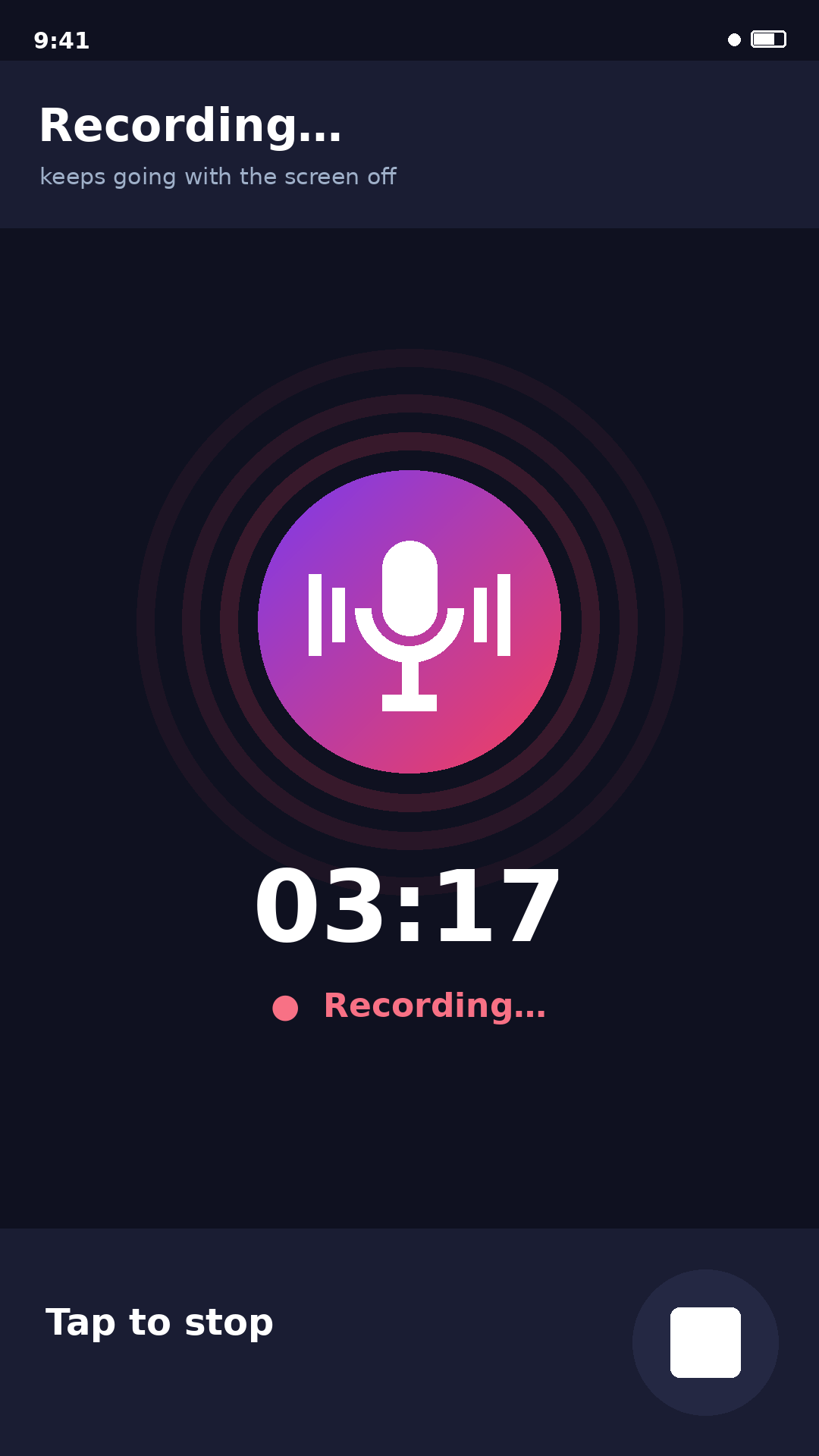
Keep recording when the screen is off / app backgrounded → foreground service (type microphone).
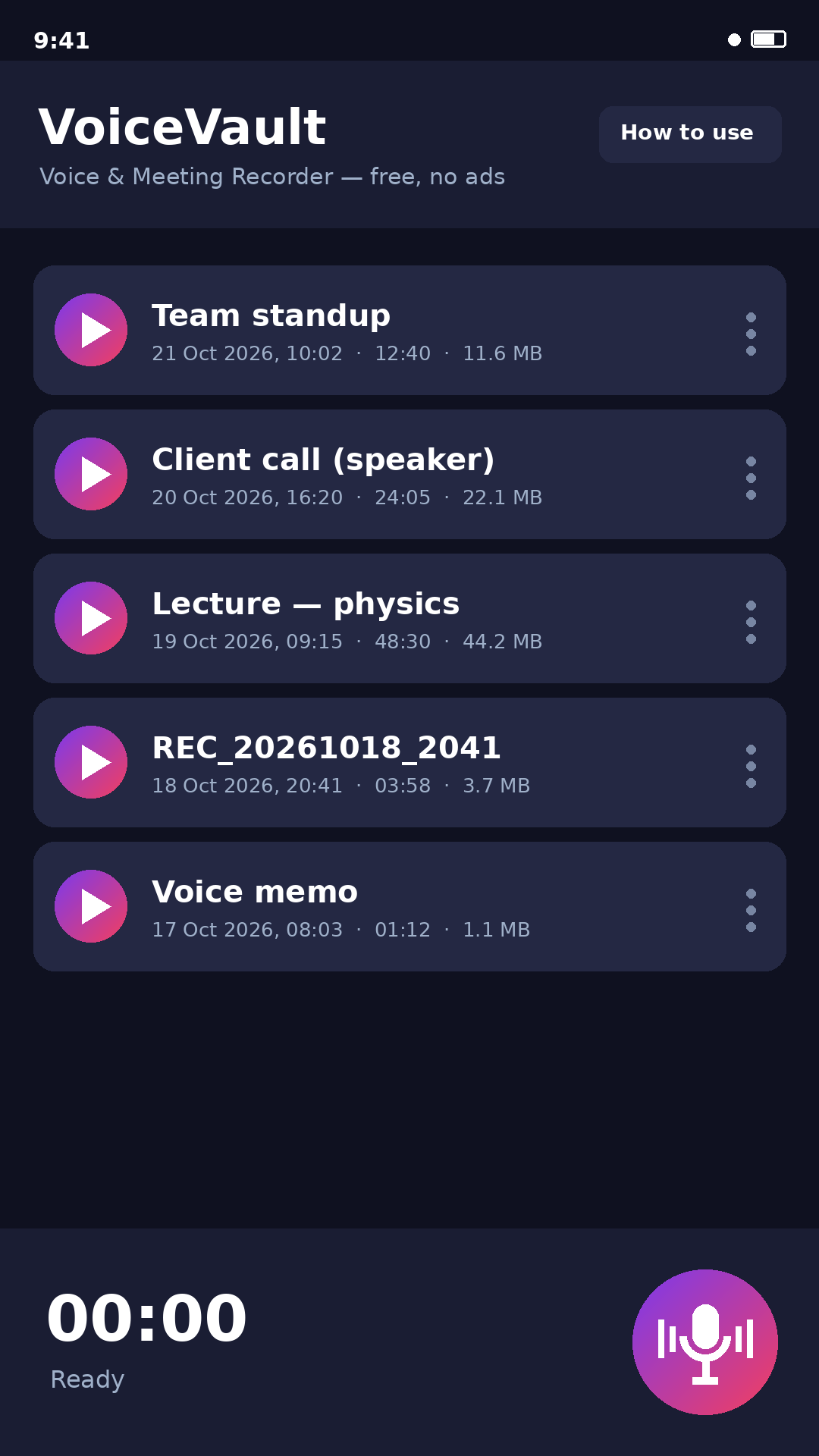
List recordings (date, duration, size), newest first.
Play / pause, rename, delete, and share each recording.
Consent notice before the first recording.
Non-functional / compliance
No internet permission — nothing leaves the device.
Scoped, app-private storage (no broad storage permission).
Share via FileProvider (no file-URI exposure).
No ads SDK, no analytics, no trackers, no paywall.
4 Free for everyone — ads / subscription / “pro” removed by design
Because VoiceVault is written from scratch rather than patched from someone’s binary, there is
nothing to “strip” — the usual revenue hooks were simply never added:
Typical in paid recorders
In VoiceVault
Banner / interstitial ads (AdMob)
❌ none — no ad SDK linked
“Pro” unlock / subscription (Play Billing)
❌ none — no billing library
Feature gating (formats, length, cloud)
✅ all features free & unlimited
Analytics / tracking SDKs
❌ none — no network calls at all
Dependencies are AndroidX + Material only. The APK requests no INTERNET permission, so it is
verifiably incapable of serving ads or phoning home.
5 The app — VoiceVault
Package com.puliyal.voicevault · built with AGP 8.11 / Kotlin 2.2 · minSdk 26 · targetSdk 34.
REC_20261019_091519 Oct 2026, 09:15 · 04:12 · 3.9 MB
⤴ ✎ 🗑
00:00
Ready
🎙
Recording…foreground service · screen can be off
⏺
03:17
● Recording…
Tap to stop
⏹
Before you recordconsent notice (shown once)
Recording laws vary by region, and many require the consent of everyone being recorded. Only record conversations you are part of, and get consent first.
VoiceVault records from your device microphone and stores files privately on this device. Nothing is uploaded.
I understand
Local-only · no internet permission
Live UI preview — record bar, in-progress recording, and the one-time consent notice.
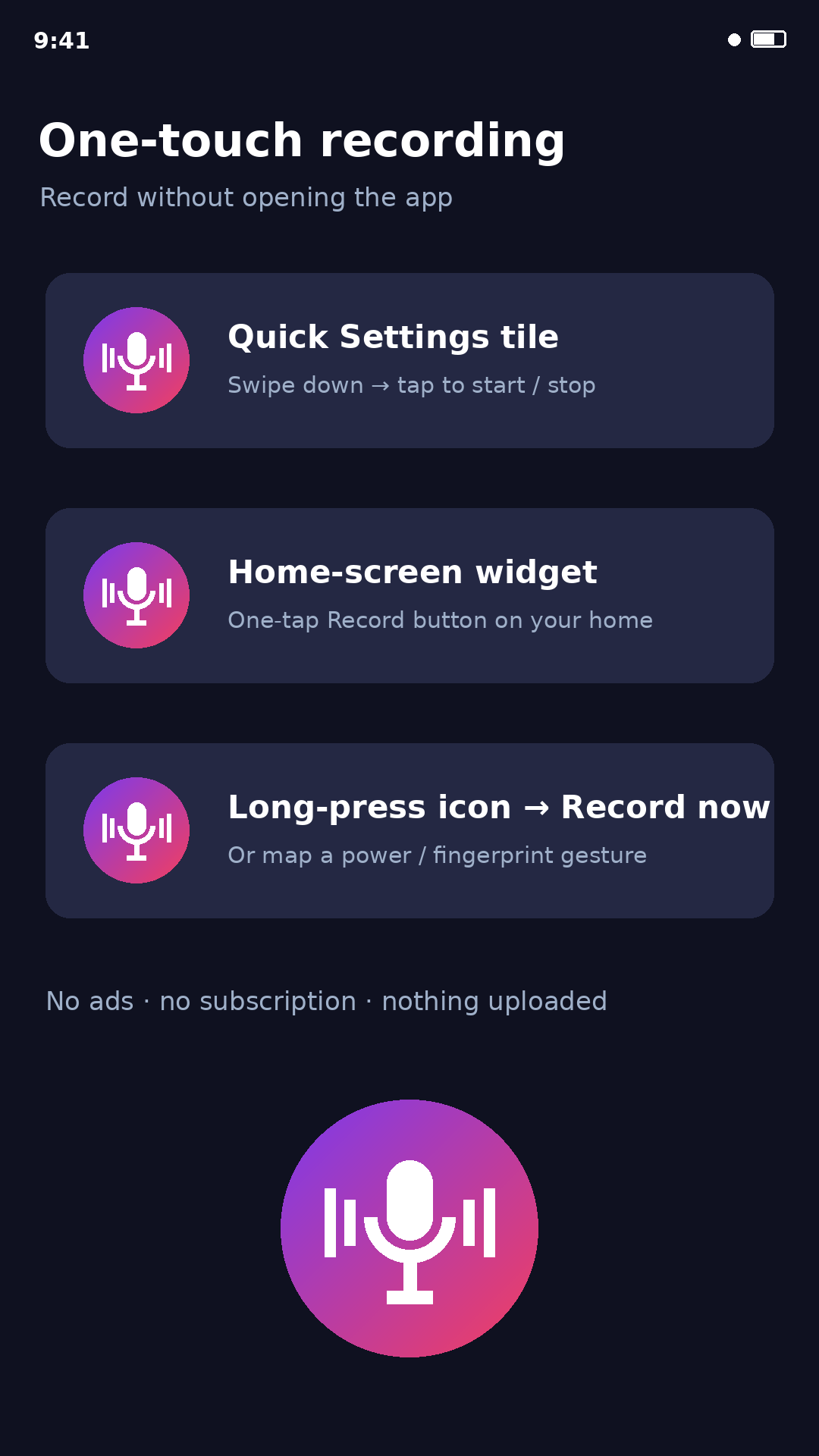
One-touch recording — two modes:
Silent (app stays closed) — Quick Settings tile, home-screen widget, or the long-press “Record now” shortcut each start/stop recording in the background.
Open the app already recording — the “VoiceVault Record” entry in the app drawer launches the full app with recording already started. The normal app icon still opens the app normally (no recording).
Hardware key — in your phone’s key/gesture settings (e.g. “double-press Power”), choose Open app → then pick “VoiceVault Record” (opens the app recording) or “Record now” via a key-mapper such as Button Mapper (records silently). Direct fingerprint/volume/power capture isn’t allowed by Android for any app.
A built-in “How to use” guide (header button, and shown on first launch) explains all of this inside the app.
6 Logo & Play Store deployment
Original brand
A vibrant purple → rose mic-and-waveform mark — deliberately its own identity (not WhatsApp green),
since reusing WhatsApp’s name, colour or logo would be trademark / trade-dress infringement and an
automatic rejection.
v0.3 — paste into the Play Console "What's new in this release" box (≤500 chars):
• New "VoiceVault Record" launcher entry: opens the app with recording already started — map it to a phone gesture/hardware key for one-click recording. The normal icon still opens the app normally.
• One-touch recording from a Quick Settings tile, home-screen widget, or "Record now" shortcut (records silently).
• Built-in "How to use" guide; app version shown in the footer.
• Stability improvements.
Suggested store listing copy
Title: VoiceVault — Voice Recorder
Short description (max 80 chars): Private voice & meeting recorder with one-touch tile & widget. Free, no ads.
Full description:
VoiceVault is a clean, private voice & meeting recorder for meetings, lectures,
memos and speakerphone conversations you’re part of. One tap to record from your microphone, keep
recording with the screen off, then play, rename, share or delete your clips. 100% free — no ads, no
subscription, no “pro”, no account, and nothing is ever uploaded.
ONE-TOUCH RECORDING — no need to open the app:
Quick Settings tile — add the “VoiceVault Record” tile to your notification shade and tap to start or stop.
Home-screen widget — place the Record button on your home screen for one-tap recording.
App shortcut — long-press the app icon and tap “Record now”.
Hardware button — map your phone’s double-press-power or fingerprint gesture to the “Record now” shortcut for a physical-button start.
FEATURES:
High-quality microphone recording (AAC / M4A)
Keeps recording reliably with the screen off
Play, rename, share and delete your recordings
Built-in “How to use” guide
100% free — no ads, no subscription, no in-app purchases
Private — recordings stay on your device; the app has no internet access
Note: On a normal call only your side is captured; put the call on speakerphone to
record both sides. Please record responsibly and only with the consent of everyone involved. VoiceVault is
a general microphone recorder, not affiliated with any messaging app.
Step-by-step: from this debug APK to a live Play listing
Create a Play Console developer account ($25 one-time) at play.google.com/console.
Make a release keystore (keep it safe — you can never change it):
Signing + AAB — already done. A release keystore was generated, the signing config is wired into
app/build.gradle, and a signed release APK + AAB were built and are downloadable above.
Rebuild any time with:
./gradlew assembleRelease bundleRelease
Keep the keystore (keystore/voicevault.jks) and its passwords safe — if lost you can never
update the app on Play. (Credentials were shown to you in chat.)
Create the app in Play Console → Create app (Category: Tools; Free).
Store listing: upload the icon (512), feature graphic (1024×500), ≥2 phone screenshots, and paste the copy above.
Content: complete the Data safety form (declare: no data collected, no data shared — true here),
the content rating questionnaire, target audience, and the privacy-policy URL —
live & publicly reachable (no login) at whatsapp.puliyal.com/privacy.html.
Upload the AAB to a Closed/Internal testing track first, verify install, then promote to Production and roll out.
Review tips to avoid rejection: do not use “WhatsApp”, its logo, or its colour anywhere in the
app, title, or listing; describe it as a general microphone recorder (not a “call recorder”); the one-time
consent notice and local-only storage help with the sensitive-permission review for RECORD_AUDIO +
foreground-service microphone.
 VoiceVault